> For the complete documentation index, see [llms.txt](https://docs.tokenscan.app/llms.txt). Markdown versions of documentation pages are available by appending `.md` to page URLs; this page is available as [Markdown](https://docs.tokenscan.app/tokenscan/connect-to-trojan-terminal.md).
# Connect to Trojan Terminal
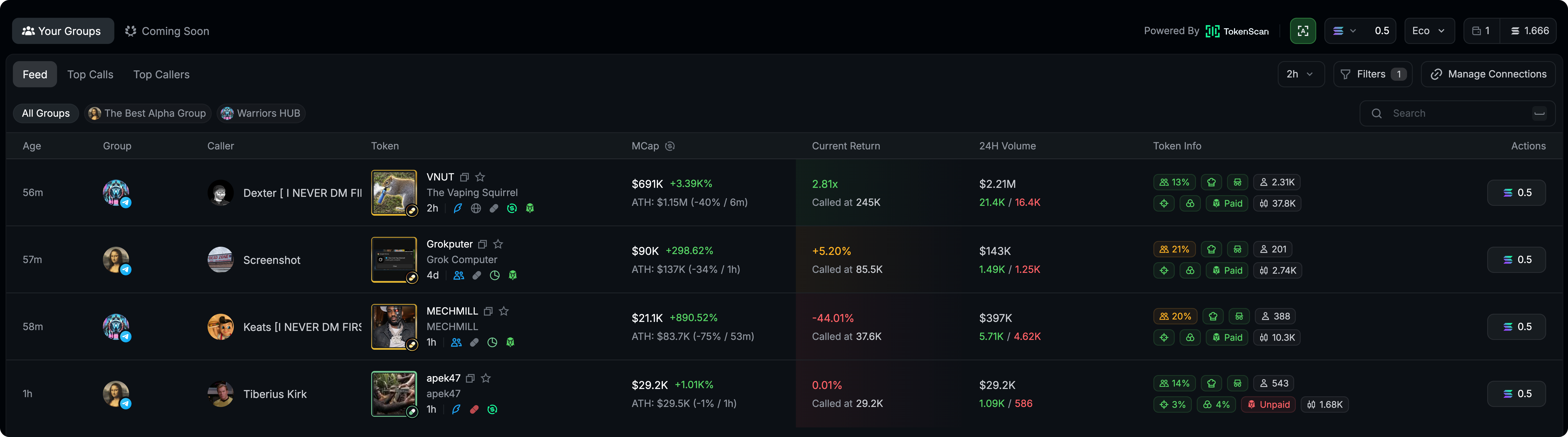
Connect TokenScan to Trojan Terminal and get a live feed of every token call made in your groups
### **How to connect**
We've partnered with Trojan to launch a new Telegram and Discord Leaderboard for the Trenches.
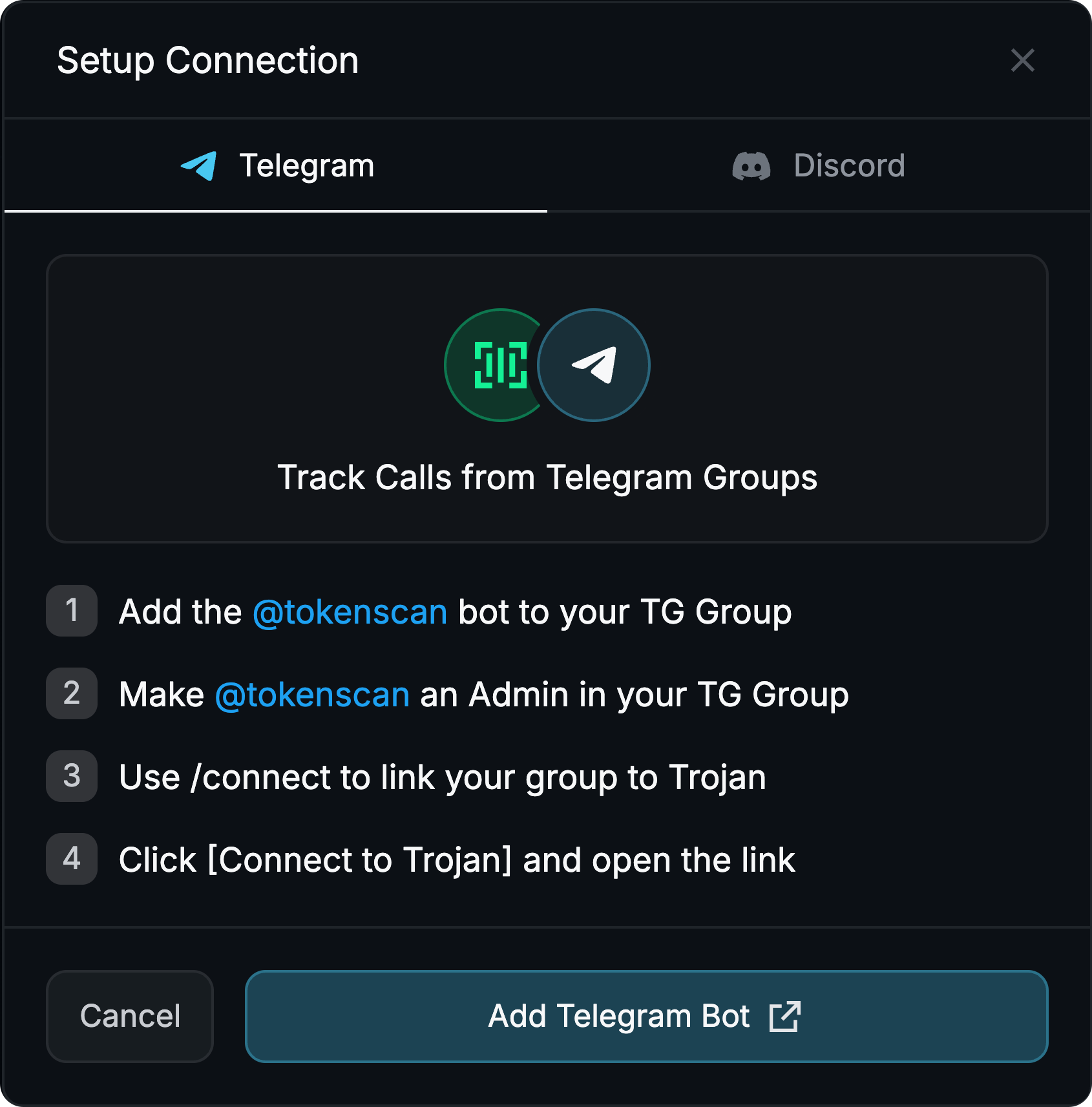
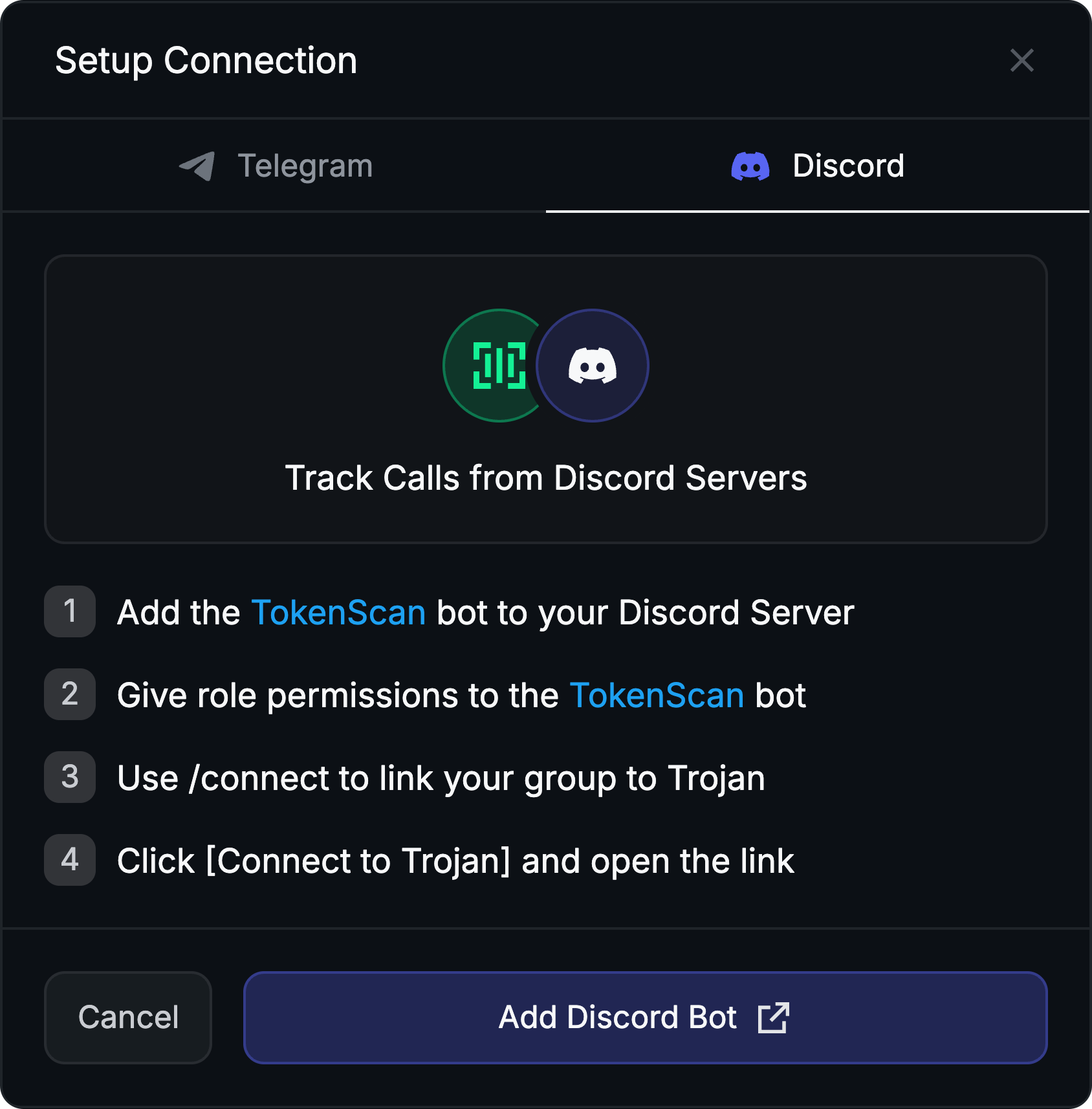
Type **/connect** in your Telegram or Discord group.
Click **Connect to Trojan**
That's it!
Every call your group makes from that point forward is tracked automatically.
{% columns %}
{% column %}
Detailed instructions for Telegram
{% endcolumn %}
{% column %}
Detailed instructions for Discord
{% endcolumn %}
{% endcolumns %}
***
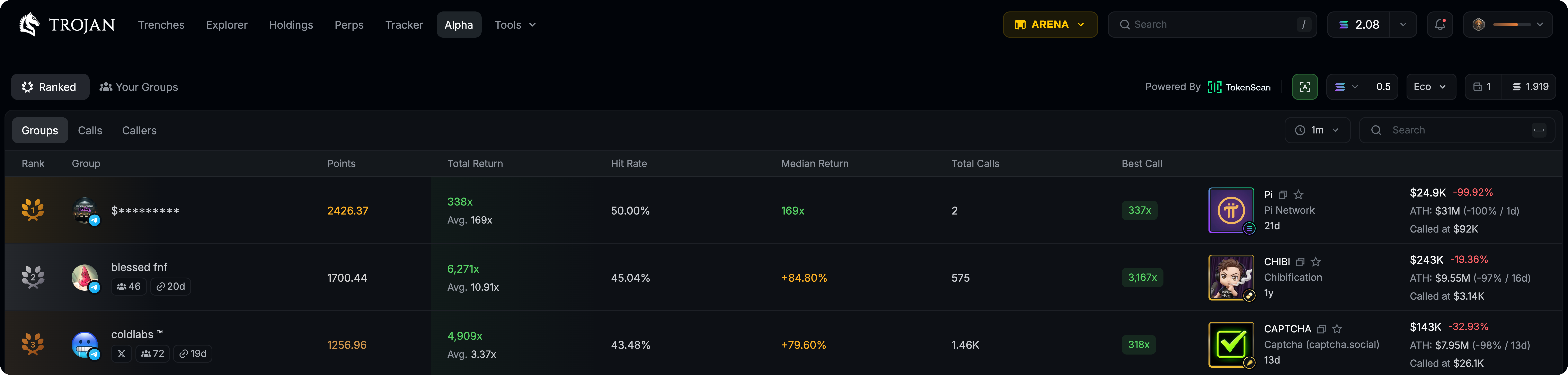
### Trojan Ranked
Groups, calls and callers ranked by performance.
{% columns %}
{% column %}
**Group**: Toggle this to Green (🟢) to have your group appear openly in Trojan Alpha Ranked (look at the list and you will see many groups covered with asterisks. This is the default before opting in.)
**Calls** and **Callers**: Either shows up fully with the names displayed (🟢)
or not at all (🔴)
{% endcolumn %}
{% column valign="middle" %}
Access these buttons in your group /settings
{% endcolumn %}
{% endcolumns %}
{% hint style="info" %}
The ranking system dynamically scores all TokenScan groups, showing the top 250 in a global leaderboard. The more calls your group makes that perform well, the higher you rank.
**Note:** There is a daily limit of 40 calls as an anti-spam measure. Without it, groups could farm points by spamming scans and unfairly inflate their rank.
{% endhint %}
## Trojan Integration Commands:
{% columns %}
{% column valign="middle" %}
### /rank
Shows a group rank in the overall board across multiple timeframes
As well as top 5 ranked groups across multiple timeframes
{% endcolumn %}
{% column valign="middle" %}
{% endcolumn %}
{% endcolumns %}
***
{% columns %}
{% column valign="middle" %}
### **/xlink**
Connect your X account to your group using this command so anyone who discovers you on Trojan Ranked can follow you directly from there.
{% endcolumn %}
{% column valign="middle" %}
{% endcolumn %}
{% endcolumns %}
***
{% columns %}
{% column valign="middle" %}
### /tgc \
Shows if an asset has been called by selected groups
{% endcolumn %}
{% column %}
{% endcolumn %}
{% endcolumns %}
***
{% hint style="info" %}
Connect every group you're in and the Alpha page becomes your central hub for call tracking across all of them. No more juggling chats.
{% endhint %}